JioChat Messenger – Video Calls, Messenger and Chat

JioChat Messenger and Video Call have become much more than just a way to send texts. Created by Reliance Jio, this app now works like a central hub for all your digital needs. It is designed to work perfectly on everything from expensive smartphones to affordable JioPhones, ensuring everyone in India can stay connected. Beyond basic messaging, the app allows users to join professional video meetings, play advanced games through the cloud without needing to download them, and read the latest news in various local languages. It truly offers a digital experience tailored specifically for the Indian lifestyle.

JioChat Messenger

As we move through 2026, JioChat Messenger continues to compete with the world’s biggest apps by offering a massive variety of features in one place. This guide explores how the app has grown into a “Super App” that handles communication, entertainment, and information all at once. We will look at helpful tips for getting the most out of the platform and see how its unique tools compare to global competitors. Whether you are using it for work or just to chat with family, JioChat provides a versatile and reliable way to navigate the modern digital world.

What is JioChat Messenger?

JioChat Messenger is a versatile, free communication app created by Jio Platforms for users in India. It works on Android, iPhones, and JioPhones, making it easy for almost anyone to stay connected. You can use it to send instant text messages or make high-quality voice and video calls to friends and family. Beyond basic chatting, the app features special branded channels where you can explore and enjoy various types of digital content and updates directly on your device.

What sets JioChat apart is how well it fits the local culture and technical needs of Indian users. It supports over ten regional languages, allowing people to communicate comfortably in their native tongue. Additionally, the app is specially designed to work smoothly even when internet speeds are slow or unreliable. This focus on accessibility and local language support makes it a dependable tool for staying in touch across the country, regardless of your network strength.

Key Features of JioChat Messenger

JioChat Messenger’s appeal lies in its multi-functional nature. Here are the core features that define the app:

  • HD Video & Voice Calls: Experience crystal-clear communication. JioChat Messenger is optimized for Indian network conditions, ensuring fewer call drops even on 3G or 4G, and exceptional clarity on 5G and Wi-Fi.
  • Video Conferencing (Conference Rooms): You can create “Conference Rooms” for up to 500 participants. Unlike other apps where you must restart a group call, these rooms stay active for recurring meetings.
  • Cross-Device Connectivity: One of its most unique selling points is the ability to video call JioPhone users from your Android or iPhone. This makes it the go-to app for families with diverse hardware.
  • Rich Messaging & Localization: Express yourself with over 1,000+ localized stickers and emoticons that reflect Indian culture. The app supports 10 regional languages, making it accessible to everyone.
  • JioChannels & Stories: Follow top brands, celebrities, and news outlets. The “Stories” feature offers bite-sized video content ranging from astrology to entertainment.
  • Integrated Gaming Hub: Access JioGames Cloud directly through the app. You can play AAA titles and casual tournaments instantly without needing to download heavy files.

LIVE WEBCAM

Unique Insights: What’s New in 2026?

JioChat Messenger has recently integrated several forward-thinking updates that set it apart:

  • Cloud Gaming Integration: In 2026, JioChat Messenger became a portal for JioGames Cloud. Users with specific gaming plans (like the ₹495 or ₹545 packs) can stream games like MotoGP™25 or Watch_Dogs™ directly within the ecosystem.
  • JioAICloud Support: The app now offers seamless integration with Jio’s AI-driven cloud storage, allowing users to back up large media files and access them across devices without consuming local phone storage.
  • Topic-Based Chat Filtering: To reduce clutter in massive 500-member groups, JioChat introduced “Topic Tags,” allowing admins to categorize conversations so users only follow what matters to them.

How to Get Started – JioChat Messenger

Setting up JioChat is straightforward, even if you aren’t using a Jio SIM.

  1. Step 1: Download & Install. Find “JioChat” on the Google Play Store, Apple App Store, or the JioStore on your JioPhone.
  2. Step 2: Registration. Open the app and enter your mobile number (any Indian operator works).
  3. Step 3: Verification. Enter the OTP (One-Time Password) sent to your device.
  4. Step 4: Profile Setup. Add your name, a profile picture, and set your “Mood” or status.
  5. Step 5: Sync Contacts. Grant permission to sync contacts to see which of your friends are already on JioChat.
  6. Step 6: Start Calling. Tap the ‘+’ icon in the ‘Chats’ tab and select ‘Video Call’ to begin.

Comparison: JioChat vs. WhatsApp vs. Telegram

Feature JioChat WhatsApp Telegram
Group Limit 500 Members 1,024 Members 200,000 Members
Video Calls HD (Smartphone to JioPhone) HD (Smartphone only) HD (Smartphone/Desktop)
Gaming Integrated Cloud Gaming None Simple Bot Games
Local Content Regional Channels & News Limited Public Channels
Encryption End-to-End (QuArKs Tech) End-to-End Optional (Secret Chat)
File Sharing Up to 100MB Up to 2GB Up to 2GB

Security Tips for JioChat Users

While JioChat uses advanced encryption, user safety also depends on smart habits:

  • Manage Permissions: Only grant access to your camera and microphone when actively using those features. You can manage this in your phone’s “App Settings.”
  • Be Wary of Channels: Only follow “Verified” branded channels (look for the tick mark) to avoid misinformation or phishing links.
  • Two-Factor Authentication: If available in your version, always enable 2FA to prevent unauthorized logins on other devices.
  • Report & Block: Use the “Report” feature within group chats to flag spam or inappropriate content immediately.

Pros and Cons of JioChat Messenger

Pros:

  • Zero Cost: Free HD calls and messaging across the globe (data charges apply).
  • JioPhone Compatibility: The only major app that connects smartphones to JioPhones via video.
  • Ad-Free Experience: Unlike many free messengers, JioChat maintains a clean, ad-free interface.
  • Regional Focus: Excellent support for Indian languages and cultural content.

Cons:

  • User Base: While growing, it still has fewer users compared to WhatsApp, meaning some of your contacts may not be on the platform yet.
  • File Size Limit: The 100MB file sharing limit is lower than that of competitors like Telegram.
  • Performance: Some users report occasional lag on older smartphone models when running heavy video stories.

Practical Tips for a Better Experience

  • Use the “Conference Room” for Work: Instead of sending new links for every meeting, keep one “Conference Room” for your team. It stays active, saving time for daily stand-ups.
  • Save Data with Low-Usage Mode: If you are on a limited data plan, check the settings for “Low Data Usage” during voice and video calls.
  • Earn Rewards: Keep an eye on the “Channels” tab. Many brands run exclusive JioChat contests where you can win data vouchers or partner coupons (like BGMI rewards).
  • Desktop Convenience: Use JioChat Messenger Web on your PC or Laptop to stay connected while working without constantly checking your phone.

Final Thoughts

JioChat Messenger is more than a simple messaging app; it represents the digital world created by Reliance Jio for India. It blends standard texting with unique features like cloud gaming and local content. This “Made in India” platform is specifically designed to meet the unique connectivity needs of Indian users today.

This app is a great choice if you have family members using JioPhones. It is also perfect for gamers who want to enjoy cloud-based entertainment on their mobile devices. If you want a reliable, local alternative for staying connected and entertained, JioChat is an essential tool for your phone.
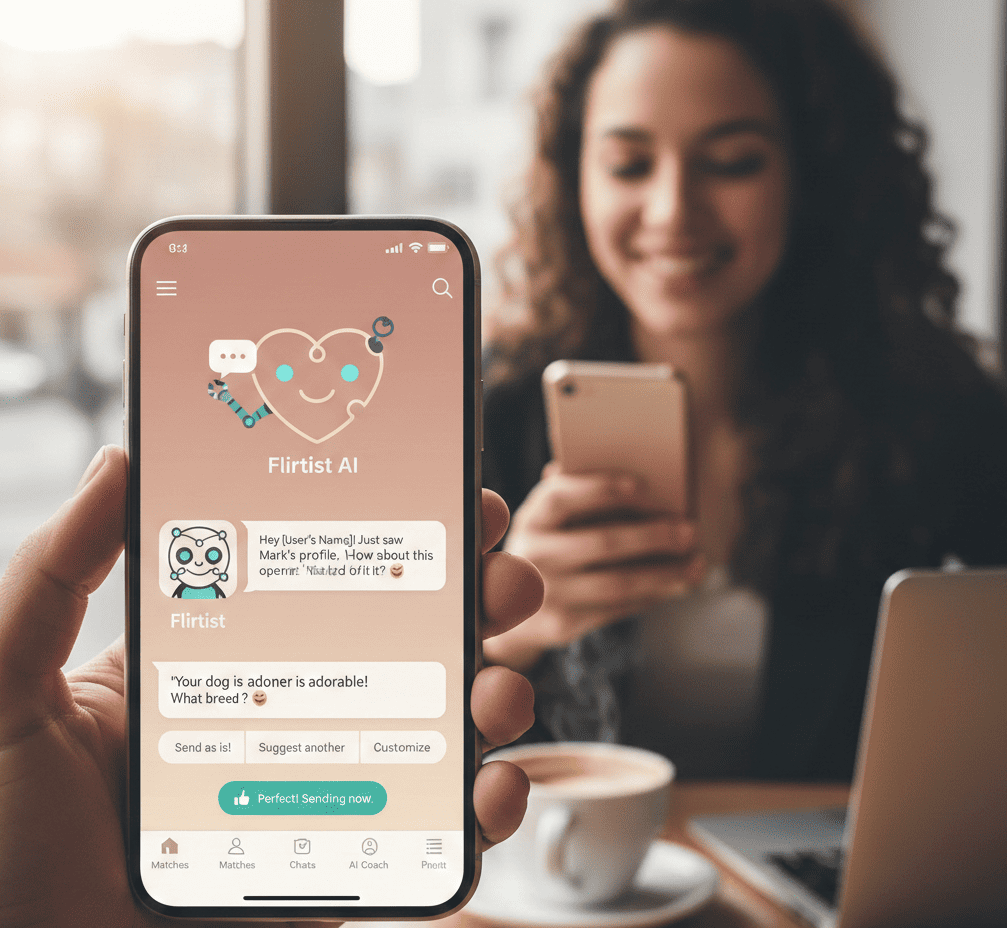
Flirtist AI Dating Assistant for Online Dating

Dating apps can be incredibly draining. After spending hours swiping through profiles, finally finding a great match often leads to a dead end. Many conversations stall before they even begin, either because of an awkward silence or a boring opening line like “Hey.” In the fast-paced world of online dating, those first few moments of a chat are critical. If you don’t make a strong impression immediately, you risk being ignored or unmatched. Most people struggle with what to say, feeling stuck while staring at a blank screen and overthinking every single word.

Flirtist

Flirtist is here to change that by acting as your personal AI dating assistant. It helps you move past boring small talk and awkward pauses so you can actually build a connection. Whether you are trying to reply to a dry question or want to shift the conversation into something more playful and flirty, this tool does the heavy lifting for you. By using Flirtist, you can stop stressing over the perfect response and start enjoying more successful interactions. It is designed to cut out the cringe and help you confidently take control of your dating life.

What is Flirtist – AI Dating Assistant?

Flirtist is a smart AI tool designed to help you succeed in the world of modern dating. While many AI programs sound stiff or robotic, this one is built specifically for social situations and romantic sparks. It understands how to be witty and charming rather than professional. By looking at your chat screenshots or text, it figures out the best way to keep a conversation moving forward and helps you show off your very best personality.

The app works by analyzing your specific interactions to give you the perfect words for any moment. Whether you need a bold opening line to start a chat or a clever comeback to keep someone interested, Flirtist has you covered. It focuses on building genuine chemistry and making sure your messages never feel awkward or boring. It is like having a social expert in your pocket, ensuring your digital dating life is fun, smooth, and successful.

Key Features of Flirtist AI Dating Assistant

Flirtist isn’t just a list of copy-paste lines. It’s an interactive toolkit designed to adapt to your specific situation.

  • The Icebreaker Generator: Feed the AI a few details from your match’s profile (like their love for hiking or their weird obsession with pineapple on pizza), and it generates 3–5 unique openers.
  • Screenshot Analysis: This is the game-changer. You can upload a screenshot of your current chat, and Flirtist will analyze the “vibe” and suggest the best next move.
  • Mood Customization: Want to be playful? Romantic? A little bit “roast-heavy”? You can toggle the tone of the suggestions to match your personality.
  • Bio Optimizer: Your bio is your storefront. Flirtist helps you rewrite your “About Me” section to be more “stop-and-stare” and less “scroll-past.”
  • The “Cringe-Check”: Before you hit send on that 3-paragraph manifesto at 2 AM, run it through Flirtist to see if it reads as “passionate” or “terrifying.”

LIVE WEBCAM

How to Get Started: Flirtist AI Dating Assistant

Getting Flirtist up and running takes less time than it does to get ghosted. Here’s how to start:

  1. Download & Install: Find Flirtist on the App Store or Google Play.
  2. Profile Setup: Choose your “dating persona.” Are you the witty intellectual, the laid-back adventurer, or the hopeless romantic? This helps the AI calibrate its voice.
  3. Sync or Screenshot: You don’t need to link your dating apps directly. Simply take a screenshot of a profile or a chat and upload it to the Flirtist dashboard.
  4. Generate & Refine: Pick a suggestion, tweak it to sound more like you, and send.
    Track Success: The more you use it, the better the AI understands which lines get the best response rates for you.

The Science of Modern Flirting

Modern flirting is more than just having a “smooth” personality; it is about standing out from the crowd. Most people on dating apps like Tinder or Hinge are bored with the same repetitive questions and predictable small talk. By using an AI assistant like Flirtist, you can break these boring patterns. It helps you provide unique, fresh responses that your matches haven’t seen a thousand times before.

Science shows that humor and playful teasing are the quickest ways to build a real connection with someone new. Flirtist uses advanced technology trained on successful social interactions to help you craft the perfect joke. This ensures your messages are funny and engaging without being offensive or awkward. It takes the stress out of messaging, making it much easier to build rapport and keep the conversation moving.

Comparison: Flirtist vs. The Competition

Feature Flirtist Generic Chatbots Old-School Line Sites
Context Awareness High (via screenshots) Low (general text) None (static lists)
Tone Control Customizable Neutral/Robotic Fixed
Safety Focus High (Privacy-first) Medium Low
Success Rate High (Dynamic) Mixed Low (Lines are overused)

Practical Tips for Flirtist AI Dating Assistant

Using an AI assistant is an art, not just a science. To get the most out of Flirtist, keep these insights in mind:

1. The 80/20 Rule

Use Flirtist for the 20% “heavy lifting” (the openers and the tricky comebacks), but keep 80% of the conversation your own. Authenticity is what wins the second date.

2. Context is King

When using the Icebreaker Generator, give the AI specific “hooks.” Instead of telling the AI “she likes music,” tell it “she likes 90s underground hip-hop.” The more specific the input, the more “non-cringe” the output.

3. Use the “Comeback” Feature Judiciously

Playful banter is great, but don’t become a “wit-bot.” If she cracks a joke, use Flirtist to find a clever retort, but follow it up with something genuine, so she knows there’s a real human behind the screen.

Security & Privacy: Dating Safely

In the age of AI, data privacy is paramount. Flirtist takes several steps to ensure your “secret sauce” stays secret:

  • Data Encryption: All uploaded screenshots are encrypted and typically processed without being permanently stored on public servers.
  • Anonymity: You aren’t required to link your actual Tinder or Bumble accounts, which adds a layer of separation between your dating life and the AI tool.
  • No Sensitive Data: Pro Tip: When uploading screenshots, use your phone’s “markup” tool to black out last names or specific locations. It’s better to be safe while being suave.

Pros and Cons

Pros:

  • Instant Creativity: Never stare at a blinking cursor again.
  • Confidence Booster: Knowing you have a “backup” makes you more willing to take conversational risks.
  • Time Saver: Skips the hours of overthinking.
  • Learning Tool: Over time, you actually learn how to be funnier and more engaging on your own.

Cons:

  • The “Crutch” Risk: If you rely on it too much, you might struggle to keep the same energy during the actual in-person date.
  • Occasional Hallucinations: Like all AI, it might occasionally suggest something a bit too bold. Always read before you send!

Frequently Asked Questions (FAQ)

Q: Is Flirtist free to use?

  • Flirtist typically offers a tiered model, allowing users to try out a few “saves” or “replies” before opting for a premium wingman experience.

Q: Will they know I’m using AI?

  • Not if you use it correctly! Flirtist is designed to sound like a witty, charismatic human. By selecting the vibe that matches your personality, the transition to real-life conversation remains natural.

Q: Does it work on all apps?

  •  Yes! Whether it’s Tinder, Hinge, Bumble, Grindr, or even Instagram DMs, Flirtist’s logic applies to any text-based social interaction.

Q: Can it help me get more matches?

  • Absolutely. By using the Bio Optimizer tool, you can significantly increase the quality and quantity of your matches by standing out from the “generic” crowd

Conclusion

Dating apps often feel like a boring chore, but Flirtist changes the game by giving you a major advantage. It saves you time and removes the stress of trying to find the perfect words. Instead of worrying about making mistakes, you can relax and actually enjoy the process of meeting people.

Stop struggling with awkward small talk and let AI handle the difficult first steps for you. This technology manages the opening conversations so you can skip the “cringe” and focus on building real connections. It is the fastest way to master your inbox and start going on better dates today.

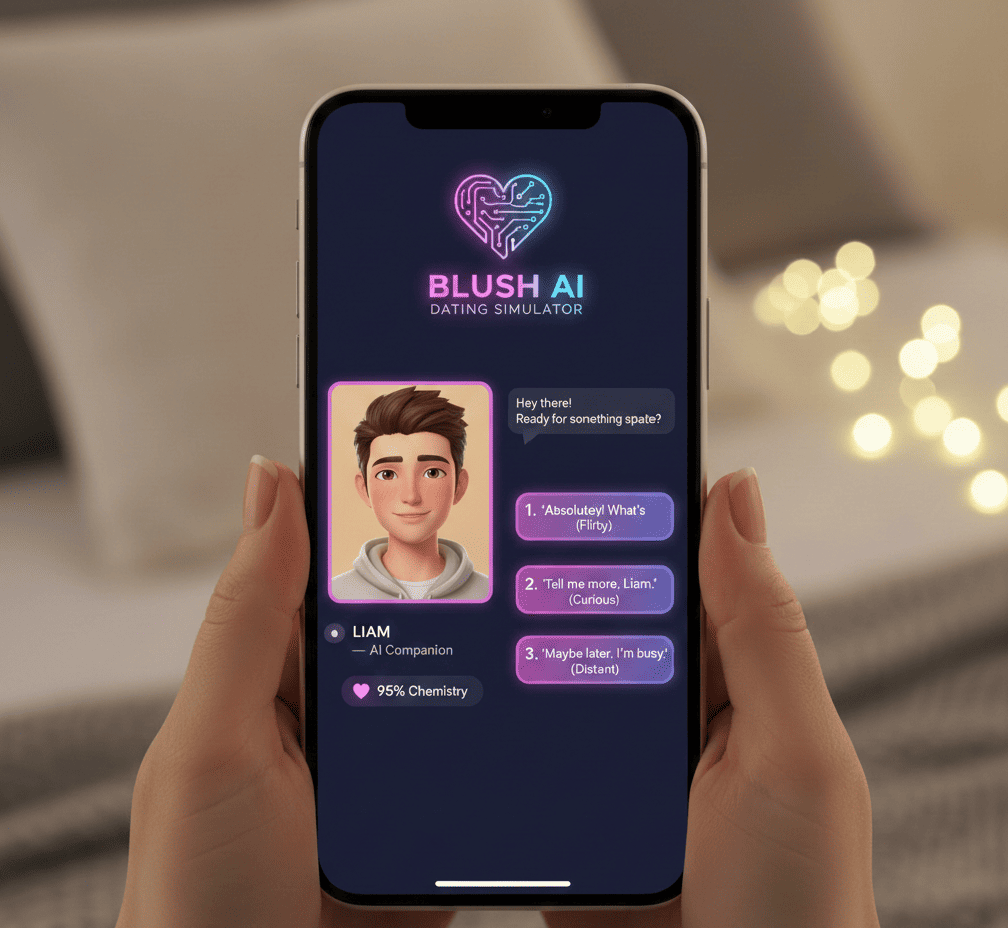
Blush AI Dating Simulator – Chat, Date, and Find Love

Blush is a modern AI dating simulator created for people who find traditional dating apps stressful or intimidating. In a time when online connections are everywhere, many feel a lot of pressure to say the right thing. Blush AI Dating Simulator solves this by offering a “sandbox for the heart,” where you can explore virtual romance without any real-world risks. It allows users to practice flirting, navigate complicated relationship situations, and enjoy digital dates. It is a helpful tool for anyone who wants to have fun while learning how to build better emotional connections.

Blush AI Dating Simulator

The main goal of Blush AI Dating Simulator is to help you build confidence and improve your social skills in a safe, private space. Since the characters are AI, there is no fear of being judged or rejected, making it a perfect place to experiment with different conversation styles. By using this simulator, you can learn how to express your feelings more clearly and understand what you want in a partner. Whether you are looking to sharpen your dating game or just want a friendly chat, Blush offers a supportive environment to grow your relationship skills.

What is Blush: AI Dating Simulator?

Blush is a unique AI dating simulator designed to act as a relationship coach through a game-like interface. Created by the same team behind Replika, it uses smart technology to mimic the feel of a real dating app. Users can browse profiles, find matches, and engage in realistic conversations with AI characters. It provides a safe digital space to explore romantic interactions, making the process of meeting new people feel much less intimidating for those who are just starting out.

The main goal of Blush AI Dating Simulator is to help people improve their social skills and confidence in modern dating. By chatting with AI, you can try out different ways of speaking, practice setting personal boundaries, and figure out what qualities you really want in a partner. Since the characters aren’t real, there is no risk of awkwardness or painful rejection. This allows you to learn from your mistakes and prepare for real-world relationships in a supportive, stress-free environment.

Key Features at a Glance:

  • Diverse AI Personas: Hundreds of unique characters with distinct backstories.
  • Skill Building: Practice communication, conflict resolution, and flirting.
  • Safe Space: A private environment where your data and conversations remain confidential.
  • User-Driven Narrative: You decide the pace and direction of every relationship.

LIVE WEBCAM

Meet Your Next Crush: The Diversity of AI Profiles

The heart of the Blush AI Dating Simulator experience lies in its characters. Unlike standard AI chatbots that might feel generic, Blush offers AI-created potential matches that feel remarkably human.

Personalized Backstories

Each “crush” comes with a curated profile, including hobbies, career paths, and even “dating red flags” or “green flags.” You might match with:

  • The Adventurous Traveler: Someone who challenges you to be spontaneous.
  • The Intellectual Academic: A character that values deep, philosophical debate.
  • The Shy Artist: Someone who requires a gentle approach and emotional vulnerability.

Limitless Possibilities

  • Because the AI adapts to your inputs, no two conversations are the same. You can choose to be bold and forward, or take a slow-burn approach to see how the character responds. This variety ensures that you are prepared for the wide spectrum of personalities you’ll encounter in the real world.

Why Practice Dating with Blush AI Dating Simulator?

Using Blush AI lets you practice dating in a safe space. You can build your confidence without any real-world pressure.It is a great way to learn social skills through low-stakes practice. Dating a bot helps you prepare for reality.

1. Overcoming Dating Anxiety

  • For many, the hardest part of dating is the “first move.” Blush allows you to practice opening lines and sustaining conversation until it becomes second nature. When you eventually transition to real-life apps, the “muscle memory” of a good conversation is already there.

2. Understanding Relationship Dynamics

  • Relationships are complex. Blush simulates various scenarios—from the excitement of a first date to the awkwardness of a misunderstanding. By navigating these in a simulator, you learn to identify healthy communication patterns versus toxic ones.

3. Exploring Your Preferences

  • Sometimes we don’t know what we want until we experience it. Blush lets you “date” across a wide spectrum of personalities, helping you narrow down the traits that actually make you happy in a partner.

Privacy and Security: Your Secrets are Safe

In the digital age, privacy is paramount. One of the standout features of Blush is its commitment to user security.

  • Data Encryption: Your conversations are encrypted, ensuring that your private “practice sessions” stay private.
  • No Real-World Consequences: Unlike real dating apps where a social faux pas might lead to a bruised reputation, Blush is a consequence-free zone.
  • Control over Content: You have the power to steer the conversation, and the AI is designed to respect the boundaries of the user.

How Blush Helps You Learn Relationship Skills

Blush AI Dating Simulator isn’t just about small talk; it’s a tool for emotional intelligence (EQ). Here is how the simulator builds real-world skills:

Effective Communication

  • The AI provides feedback through its responses. If you are too vague, the AI might ask for clarification. If you are respectful and engaging, the “relationship” progresses. This subtle reinforcement teaches you the value of clear, empathetic communication.

Conflict Resolution

  • Not every AI match is “easy.” Some characters may have different opinions or moods. Learning how to navigate a disagreement without escalating the situation is a vital skill that Blush helps you hone.

Setting and Respecting Boundaries

  • The simulator encourages you to express your needs. Whether you want to keep things casual or seek a deeper emotional connection, practicing these declarations in Blush makes it easier to do the same with a real partner.

Comparison: Blush: AI Dating Simulator vs. Traditional Dating Apps

Feature Blush AI Dating Simulator Traditional Dating Apps (Tinder/Hinge)
Primary Goal Skill-building & Entertainment Finding a real-world partner
Rejection Risk Zero High
Learning Curve Guided and supportive Trial by error
Privacy High (Encrypted AI) Variable (Public profiles)
Availability Instant matches 24/7 Dependent on human activity

Is Blush AI Dating Simulator Worth It?

If you feel out of practice with dating or just want a fun way to try out romantic situations, Blush AI Dating Simulator is a great resource. It provides a safe space for people who might feel lonely or nervous about meeting others in real life. By using this app, you can build your confidence without the pressure of actual rejection. It serves as a helpful bridge between being alone and entering the complex world of modern dating.

Think of dating as a skill that improves with practice. Blush allows you to experiment with different conversations and personalities, giving you the power to take control of your love life. Instead of feeling anxious about saying the wrong thing, you can use the simulator to learn what works for you. This approach helps users feel more prepared and excited to find a real connection. It turns a stressful experience into something manageable, empowering, and genuinely enjoyable.

How to Get Started with Blush: AI Dating Simulator

  1. Download and Setup: Available on iOS and Android. Create your profile based on what you want to practice.
  2. Start Swiping: Browse the AI gallery. Read the backstories to find a character that interests you.
  3. Initiate Conversation: Use a “breaker” or a simple “hello.” See where the AI takes you.
  4. Reflect: After a session, think about what worked. Did you feel confident? Did the AI’s response surprise you?

Conclusion

Blush AI Dating Simulator is a unique mix of fun and learning for your emotional health. It offers a safe, private space to practice meeting new people without any real-world pressure. This helps users build the confidence and skills they need to handle the challenges of modern dating.

Whether you want a fun adventure or a serious way to improve yourself, Blush AI Dating Simulator provides endless entertainment. It lets you explore different romantic situations in a supportive environment. By practicing with AI characters, you can discover what you truly want in a relationship while having a great time.


PURE – Anonymous Dating and Private Chat App

PURE is a dating app built for people who want to skip boring small talk and long-term commitments. Unlike traditional apps that focus on finding a spouse or building a perfect profile, this platform provides a private space for you to be honest about what you really want. It is designed for adventurous and creative individuals who are tired of being judged for their desires. You can think of it as a digital playground where you can connect with others who value privacy and excitement just as much as you do. By removing the usual social pressures, the app makes it easy to meet like-minded people in a judgment-free zone. Whether you are looking for a fun night out or a unique new friend, this space encourages you to be your most authentic self from the very first message.

PURE

The app focuses on being direct and keeping your identity private, allowing you to find everything from quick flings to deep, unconventional connections. Because there are no strict rules or traditional expectations, you can express your curiosity freely and safely. The platform acts like a blank canvas where your personality can shine without the fear of shame or embarrassment. It is perfect for those who want to explore their interests and seek out experiences that are a bit more out of the ordinary. With a heavy emphasis on safety and anonymity, you have the freedom to pursue whatever thrills you with total confidence. By stripping away the formalities of standard dating apps, it creates a fast and honest way to meet others who are ready for an adventure.

What is PURE?

The Sandbox for Curious Creatives PURE is a premium dating app designed for adults who value privacy and living in the moment. Unlike traditional platforms that focus on long-term relationships and detailed profiles, this app removes all the unnecessary noise. It is built for people who prefer spontaneity over slow-paced romance. By focusing on the “here and now,” it creates a safe space where users can be honest about their desires without the pressure of typical dating expectations or complex life stories.

The platform specifically attracts a creative audience that views human connection as an exciting adventure. It acts as a digital playground for those who are tired of repetitive small talk and want to get straight to the point. Instead of worrying about the future, users are encouraged to explore their curiosity with like-minded people. It is the perfect spot for anyone who values transparency and wants a direct, anonymous, and artistic way to meet others.

Key Features That Set PURE

  • Self-Destructing Ads: Instead of a permanent profile, you post a “personal ad.” You describe what you’re looking for, and it disappears after an hour unless you renew it. This keeps the ecosystem fresh and the users active.
  • The “Devil’s Bones” Game: A unique, gamified way to break the ice. It allows users to connect through playful prompts and dares, lowering the barrier of awkward introductions.
  • Encrypted, Self-Deleting Chats: Privacy is the core. Your chat history is ephemeral. If someone takes a screenshot, you are notified immediately, and the app uses end-to-end encryption to keep your secrets safe.
  • Anonymous Profiles: No need to link your Instagram or Facebook. You share only what you want, when you want.
  • Virtual Gifts and Feed: A dynamic feed where you can see what’s happening in your area in real-time and send “gifts” to catch someone’s eye.

LIVE WEBCAM

How to Get Started on PURE: A Step-by-Step Guide

Getting started is designed to be as frictionless as the experiences the app promotes:

  1. Download and install: Available on both iOS and Android.
  2. Choose Your Avatar: Since PURE is anonymous, you don’t have to use your real name. Choose an identity that reflects your current mood.
  3. Write Your Ad: Be clear. Whether you want a deep conversation about art or a late-night rendezvous, honesty is the currency here.
  4. Upload “Self-Destructing” Photos: You can set your photos to be viewable for a limited time, ensuring your digital footprint remains small.
  5. Browse the Feed: Look for ads that resonate with your vibe and start a chat.

Pros and Cons of the PURE Experience

Pros

  • High Intent: Users on PURE are generally very clear about what they want, reducing “time-wasting” conversations.
  • Privacy First: Exceptional security features for those who value discretion (professionals, public figures, etc.).
  • Creative Community: Attracts an open-minded, artistic demographic.
  • No Ghosting Culture: Since ads expire, the pace is fast; you’re either talking now or moving on.

Cons

  • Subscription Model: PURE is a paid experience for men (and sometimes women, depending on the region), which can be a barrier for some.
  • Fast-Paced: If you prefer slow-burn dating, the 1-hour ad cycle might feel rushed.
  • Niche Audience: Depending on your location, the user base might be smaller than “The Big Three” dating apps.

Security Tips: Staying Safe in an Anonymous Space

While PURE provides the tools for safety, your digital well-being is also in your hands.

  • Use the In-App Chat: Never move to WhatsApp or Telegram immediately. PURE’s chat protects you from screenshots; other apps don’t.
  • Reverse Image Search: If a profile looks too good to be true, it might be. While PURE fights bots, always stay vigilant.
  • Set Boundaries Early: The beauty of PURE is transparency. State your “hard nos” as clearly as your “hell yeses.”
  • Meet in Public First: Even if the intention is a private encounter, meeting in a well-lit public space first is a non-negotiable safety standard.

PURE vs. The Competition

Feature PURE Tinder/Bumble Feeld
Primary Vibe Spontaneous & Playful Mainstream Romance Kink & Poly-friendly
Anonymity High (No Social Links) Low (Linked Accounts) Medium
Profile Life 1 Hour (Ads) Permanent Permanent
Communication Self-destructing Standard Chat Standard Chat

Practical Tips for Success on PURE

  • Be Specific, Not Graphic: You can be bold without being crude. A well-written, intriguing ad usually gets more high-quality matches than one that is purely physical.
  • Timing is Everything: Since ads last an hour, post when you are actually free to chat. Friday and Saturday nights are peak hours.
  • Use High-Quality Photos: Even if you use a mask, the lighting and composition of your photo speak volumes about your “creative” side.
  • Respect the “No”: Because the app is built on boundaries, “No” is a complete sentence. Users appreciate those who respect their limits.

Conclusion

PURE is a great option if you are tired of typical dating apps. It offers a private, secure space where adults can be themselves without judgment. The app focuses on keeping your identity safe while helping you find people who share your interests, making the whole experience feel honest and refreshing.

The app stands out by focusing on clear communication and safety. It uses encryption to protect your chats and ensures that everyone agrees to the rules of the community. By choosing directness over complicated profiles, PURE has created a special place for people who want a simpler way to connect.

Lumi Online Video Chat –Talk to Strangers Instantly

Lumi is an online video chat platform designed for people who are tired of the endless swiping and surface-level conversations found on typical dating apps. Instead of focusing on profile pictures and bios, it offers a space for “curious creatives” to meet and connect instantly. The app encourages users to be themselves and drop the digital personas that often make online socializing feel fake. It is built as a welcoming community where being authentic and playful is the norm, rather than the exception. By emphasizing real-time video interaction, Lumi helps users get to know each other’s true personalities right from the start.

Lumi

The platform is perfect for anyone searching for a romantic connection or even just a creative partner to collaborate with. It prioritizes safety and support, ensuring that users feel comfortable sharing their passions and ideas openly. Whether you want to find a new spark or simply find a “muse” who inspires you, Lumi provides a secure environment to let your heart go wild and explore new possibilities. It is more than just a place to talk to strangers; it is a sanctuary for those who want to build meaningful relationships in a fun, spontaneous way.

What is Lumi?

Lumi is a unique social and dating app made specifically for creative people who want to meet through live video. Most dating apps rely on still photos and written profiles, but Lumi focuses on real-time interaction. This approach allows users to see each other’s true energy and personality right away. The platform encourages everyone to be honest about what they are looking for and to set clear personal boundaries from the start. Moving away from swiping and toward live conversation, it creates a more authentic space for people to find meaningful connections.

The philosophy behind Lumi is that meeting new people should feel like an exciting adventure that is both safe and expressive. It provides a secure environment where users can explore new relationships without feeling pressured or misled. The app uses interactive features to make video chatting more engaging and fun for its creative community. Ultimately, Lumi aims to make online dating feel more human by prioritizing deep expression and transparency. It is a niche space designed for those who value genuine vibes and clear communication over the standard digital dating experience.

Key Features of the Lumi App

Lumi stands out by moving away from the “resume-style” dating profile and leaning into dynamic interaction.

  • High-Quality Video Chat: The heart of the app is its seamless video interface, allowing users to see and feel the “vibe” of a partner before meeting in person.
  • Playful Interaction Tools: Use in-app prompts and creative filters designed to break the ice without the awkward “Hi, how are you?” routine.
  • Intention Setting: Lumi encourages users to be vocal about what they want—be it a casual creative partnership, a deep romantic bond, or a short-term adventure.
  • Boundary Badges: A unique feature where users can display their boundaries upfront, ensuring that every interaction starts with mutual respect.
  • Curated Communities: Algorithmic matching that focuses on “creative types”—artists, musicians, thinkers, and seekers.

LIVE WEBCAM

How to Get Started on Lumi: Step-by-Step

Ready to dive into the playground? Here is how to set up your Lumi experience for success:

  • Download and Authenticate: Available on major app stores. Use a verified email or social account to ensure a layer of community trust.
  • Craft a “Vibe” Profile: Instead of listing your job title, upload photos or snippets of your latest project, a poem, or a candid video of you in your element.
  • Set Your Intentions: Navigate to your profile settings and select your current “mood” or “intention.” This helps the algorithm find like-minded beings.
  • Explore the Feed: Browse through video introductions. If someone’s creative energy resonates with yours, send a “Spark.”
  • Start the Chat: Once a match is made, hop on a video call. Use the built-in “creative prompts” if you need a conversation starter.

The Lumi Experience: Pros and Cons

Every platform has its rhythm. Here is what you can expect:

Pros

  • Authenticity First: The video-first approach drastically reduces catfishing and “ghosting” culture.
  • Safe Space: High emphasis on boundaries makes it a welcoming environment for women and non-binary creatives.
  • Niche Audience: You won’t find the “generic” dating crowd here; it’s a hub for innovators and dreamers.

Cons

  • Bandwidth Intensive: Being a video-heavy app, it requires a stable internet connection for the best experience.
  • Smaller User Base: Because it is a niche community, it may have fewer users in rural areas compared to giant apps like Tinder.

Lumi vs. The Competition

Feature Lumi Tinder/Bumble Hinge
Primary Focus Creative Playfulness High-Volume Swiping “Designed to be Deleted”
Interaction Mode Live Video & Play Text & Photo Prompts & Text
User Vibe Artistic/Open-Minded General Public Relationship Seekers
Safety Focus Boundary-First Verification-First Prompt-Based

Staying Safe: Security Tips for Online Video Chatting

While Lumi provides a supportive space, digital safety is a shared responsibility. Follow these tips to keep your creative journey secure:

  • Keep it on the Platform: Avoid moving to WhatsApp or Telegram until you have established significant trust. Lumi’s safety features only protect you within the app.
  • Background Check: When video chatting, ensure your background doesn’t reveal your home address, workplace, or sensitive personal documents.
  • Trust Your Intuition: If a “creative” interaction feels coercive or veers away from your set boundaries, use the Block and Report tool immediately.
  • Blur Backgrounds: Use the app’s built-in background blur if you want to keep your private sanctuary… well, private.

New & Trending: What’s Next for Lumi?

Lumi is always growing and finding new ways to help the creative community thrive. Our latest updates focus on making your workflow smoother and more intuitive than ever before. We have introduced enhanced tools that simplify complex tasks, allowing you to spend more time on your actual art. Whether you are a professional designer or just starting your creative journey, these modern features are built to support your unique vision and help you produce high-quality work effortlessly.

Looking ahead, we are excited to expand our platform with even more innovative technology. Our team is working hard to bring you smarter collaboration options and faster processing speeds to keep up with your busiest days. We value your feedback and use it to shape every new update we release. Stay tuned for more announcements as we continue to push the boundaries of what is possible. We are dedicated to ensuring Lumi remains your favorite destination for all things creative.

  • Creative Co-Labs: A feature allowing two users to “draw” or “collaborate” on a digital canvas during a video call.
  • Audio-Only “Incognito” Mode: For those days when your creative spark is bright but your camera-readiness is low.
  • Global Festivals: Digital events where users can join “rooms” based on specific interests like sustainable fashion, lo-fi beats, or digital art.

Maximizing Your Connections on Lumi

To truly thrive in this space, you must embrace the “Lumi Mindset.” This means moving away from the “What can I get?” mentality to “What can we explore?”

  • Be Bold with Boundaries: It’s actually attractive to say, “I’m here for deep conversation, not casual flings,” or vice versa. Clarity is the ultimate aphrodisiac on Lumi.
  • Use the Video Prompts: Don’t ignore the in-app games. They are designed by psychologists and artists to bypass small talk and get to the “soul” of the person you’re talking to.

Conclusion

Lumi is more than just a typical video chat app. It is designed for people who are tired of boring, traditional dating apps. By focusing on creativity and fun, Lumi provides a fresh way to meet others. It is a special community built for those who want something more exciting.

Safety and freedom are also very important here. Lumi sets clear boundaries so you can be yourself and let your heart go wild without worry. It creates a supportive space that truly understands your needs. It is the perfect place to find a spark in a playful, protected environment.

Bermuda Video Chat – Live Cam App to Make Friends

Bermuda Video Chat is a lively app designed to help you make new friends across the globe instantly. While many online interactions can feel cold or robotic, this platform focuses on creating warm, natural conversations. Users often find that they can start talking to a total stranger and feel as comfortable as if they were chatting with an old friend. It is built to be fast and easy to use, allowing you to jump into a live video call within seconds. This “Bermuda effect” makes digital socializing feel much more personal and exciting for everyone involved.

Bermuda Video Chat

The Bermuda Video Chat app is perfect for anyone looking to learn about different cultures, practice a new language, or just find some company on a quiet night. It provides a high-energy space where people can connect deeply rather than just scrolling through photos. In 2026, it became a top choice for social people everywhere because of its unique features and focus on real human contact. Whether you want to expand your social circle or discover a new perspective, Bermuda makes it easy to bridge the gap between you and the rest of the world.

What is Bermuda Video Chat?

Bermuda Video Chat is a video chat app that lets you meet new people one-on-one. Instead of talking to friends you already have, this app connects you with strangers from all over the world. You simply swipe your screen to instantly start a live video call with someone new and exciting.

The app focuses on making first meetings fun and easy. It uses special tools and features to help break the ice so you don’t feel nervous. By using modern technology, Bermuda helps you make global connections and enjoy spontaneous conversations with people you might never have met otherwise.

Key Features of the Bermuda Video Chat App

Bermuda Video Chat isn’t just another random video chat tool; it’s packed with features that enhance the user experience:

  • Real-Time Translation: The biggest barrier to global friendship is language. Bermuda solves this with built-in text and voice translation, allowing you to chat with someone in Tokyo or Rio de Janeiro without reaching for a dictionary.
  • AI-Powered Face Filters: Feeling a bit camera-shy? The app offers a variety of beauty filters and fun AR stickers that move with you, making the environment lighthearted and visual.
  • Region and Gender Filters: If you’re planning a trip to France and want to speak with locals, or if you prefer to meet people of a specific gender, the app’s advanced filtering system helps narrow down your search.
  • Virtual Backgrounds: The “Focus” function allows you to blur your surroundings or use a virtual background, ensuring your privacy while keeping the spotlight on you.
  • Instant Connectivity: With a massive user base, there is zero wait time. You tap, you swipe, and you’re connected.

LIVE WEBCAM

How to Get Started: Bermuda Video Chat

Ready to jump in? Follow these simple steps to set up your Bermuda account:

  1. Download the App: Available on the Google Play Store and Apple App Store.
  2. Create a Profile: You can sign up quickly using your Google, Facebook, or Apple ID.
  3. Grant Permissions: To function correctly, the app will ask for access to your Camera, Microphone, and Location (to help match you with people in specific regions).
  4. Set Your Preferences: Choose your preferred gender and the regions you’re interested in exploring.
  5. Start Swiping: Swipe through the “Discovery” tab to find your first match. If the vibe isn’t right, just swipe again!

Pros and Cons of Bermuda Video Chat

To give you an honest look at the platform, here is a quick breakdown of its strengths and weaknesses:

Pros Cons
Global Reach: Access to millions of users worldwide. Monetization: Advanced filters (like gender) often require “Coins.”
Safety First: Robust AI moderation and reporting tools. Connectivity: Video quality can vary based on your internet speed.
No Language Barriers: Excellent real-time translation. Regional Gaps: Some regions have more active users than others.
Ease of Use: Clean, intuitive interface for all ages (18+). Occasional Bots: Like all chat apps, you may occasionally encounter automated accounts.

Security Tips: Staying Safe While Chatting

Bermuda Video Chat takes safety seriously, utilizing 24/7 AI moderation to detect inappropriate behavior. However, user safety is a two-way street. Follow these tips to ensure a positive experience:

  • Keep Personal Info Private: Never share your address, bank details, or social media handles with someone you just met.
  • Use the Report Button: If a user is being disrespectful or violating community guidelines, report them immediately. Bermuda’s team is known for taking swift action, including permanent bans.
  • Stay Within the App: Avoid moving the conversation to external apps (like WhatsApp or Telegram) too quickly.
  • Be Mindful of Your Background: Ensure there is nothing in your video frame (like mail or school uniforms) that could reveal your specific location.

Why Bermuda Video Chat It “Feels Like Old Friends”

Bermuda Video Chat stands out because it uses a smart “vibe filter” to connect people. Instead of just looking at where you live, the app matches you with users who share your communication style. For example, if you enjoy long, deep conversations, the algorithm pairs you with other talkative people. This unique approach creates an instant sense of familiarity, making it feel like you are catching up with an old friend rather than meeting a complete stranger for the first time.

To make the most of your experience, always check the profile preview before starting a video call. Taking a quick look at someone’s interest tags can give you the perfect icebreaker. If you notice a shared hobby, like a love for pets or traveling, mention it immediately. Starting the chat with a common interest is the most effective way to build a real connection, quickly turning a brief interaction into a meaningful and long-lasting friendship.

Bermuda Video Chat vs. The Competition

How does Bermuda stack up against giants like OmeTV or Azar?

  • Bermuda vs. OmeTV: While OmeTV is great for quick, anonymous chats, Bermuda offers a more “premium” feel with better translation tools and a more structured profile system.
  • Bermuda vs. Azar: Azar is a direct competitor, but users often find Bermuda’s “BFF vibe” marketing translates to a friendlier, less “dating-centric” community than Azar.

Conclusion

Bermuda Video Chat is much more than a typical app for meeting strangers. It acts like a global living room where people from everywhere can hang out and talk. Using smart technology to translate different languages, it helps everyone connect easily and share their stories with one another.

The app also focuses on making users feel safe while keeping the atmosphere friendly and relaxed. It creates a special space in the social media world where new people feel like old friends. This blend of helpful tools and a welcoming environment makes it a great way to explore the world.

Webex App for Free Video Calls and Meetings

The new Webex app by Cisco is a powerful tool built for the modern world of hybrid work. Instead of switching between different programs, you can find your video meetings, messages, and phone calls all in one secure place. This unified design helps teams stay connected whether they are working from home or in a traditional office. It effectively reduces the stress of using too many apps and makes collaborating with your colleagues much simpler and more organized.

Webex

Beyond basic communication, Webex offers smart features like real-time translation to help global teams understand each other instantly. It is also well-known for providing top-tier security to keep your private data safe during every conversation. Whether you are hosting a large presentation or a quick chat, the app provides an inclusive and intelligent experience for everyone involved. This guide will help you understand how Webex compares to its competitors and how to use its best features in 2026.

What is the Webex App?

The Webex app is a versatile tool designed to help people work together easily from any location. It combines messaging, video meetings, and phone calls into one simple platform that works on computers and mobile devices. Because it is built by Cisco, the app is very secure, ensuring your private data stays protected. It is perfect for teams who need a reliable way to stay connected throughout the workday without switching between multiple programs.

Inside the app, you can organize your projects by creating specific “Spaces” for chat and file sharing. If a text conversation becomes too complex, you can instantly turn it into a high-definition video meeting with just one click. This seamless flow allows you to share documents and collaborate in real-time without ever losing your place. By keeping all your communication tools in one spot, Webex makes professional teamwork feel much more natural and efficient.

Key Features of the Webex App

1. Meet: Intelligent Video Conferencing

Webex meetings are designed to be inclusive and immersive.

  • Real-time Translation: Break language barriers with AI-powered translation into over 100+ languages, including Spanish, French, Mandarin, and Arabic.
  • AI Background Noise Removal: Advanced noise cancellation filters out distracting sounds like keyboard typing, barking dogs, or lawnmowers.
  • Personalized Layouts: Customize your view so you can focus on the speaker, the presentation, or your team members.
  • Gesture Recognition: Use simple hand gestures (like a thumbs up) to trigger on-screen reactions without interrupting the flow of the meeting.

2. Message: Continuous Collaboration

Messaging in Webex isn’t just for quick chats; it’s a productivity hub.

  • Spaces and Teams: Organize work by projects or departments.
  • File Sharing & Co-editing: Share large files and work on whiteboards in real-time.
  • Persistent Chat: Messages and files are saved and searchable, ensuring that team members who join late can catch up quickly.

3. Call: Enterprise-Grade Telephony

Webex Calling provides a professional phone system in the cloud.

  • Single Number Reach: Use one business number for your mobile, desktop, and desk phone.
  • Seamless Escalation: Turn a standard phone call into a full-featured video meeting with one click.
  • Advanced Features: Includes visual voicemail, call recording, and AI-generated call summaries.

LIVE WEBCAM

How to Start Using the Webex App

Getting started is straightforward. Follow these steps to set up your workspace:

  1. Download and Install: Visit webex.com/downloads and download the app for your Windows, Mac, iOS, or Android device.
  2. Sign Up/Sign In: Use your work email to create an account. If your organization already uses Webex, simply sign in with your credentials.
  3. Set Up Your Profile: Add a professional photo and set your status (e.g., “In a meeting” or “Working from home”).
  4. Create a Space: Click the “+” icon to start a direct message or create a group “Space” for your team.
  5. Test Your Hardware: Go to Settings > Audio/Video to ensure your microphone, speakers, and camera are working correctly.

Pros and Cons of Webex

Pros Cons
Superior Security: Built-in end-to-end encryption and compliance tools. Resource Intensive: Can be heavy on RAM, especially on older laptops.
Hardware Integration: Works perfectly with Cisco Room Kits and Desk Pros. Steeper Learning Curve: The vast feature set can be overwhelming for beginners.
Inclusive AI: Exceptional translation and accessibility features. Mobile Limitations: Some advanced desktop features are simplified on mobile.
Free Tier: Robust free version for small teams and personal use. Price: Premium enterprise tiers can be more expensive than competitors.

Webex vs. Zoom vs. Microsoft Teams

Feature Webex Zoom Microsoft Teams
Primary Strength Security & Hardware Ease of Use Office 365 Integration
Translation 100+ Languages (Native) Third-party/Limited Real-time (Premium)
Security Zero-trust / Cisco-backed Improved but evolving Enterprise-standard
AI Capabilities Cisco AI Assistant Zoom Companion Microsoft Copilot
Best For Enterprises & Hybrid Teams External Webinars/Social Organizations in MS Ecosystem

Why Webex Is Best for Hybrid Work

Webex stands out because it combines smart software with high-quality devices. While other apps are made for just home or office use, Webex connects both perfectly. Using Cisco cameras and screens, the system automatically follows your movement and improves your video, making every meeting feel more natural and professional.

This technology ensures everyone has an equal voice, no matter where they are working. It uses artificial intelligence to focus on faces and even monitor the room’s environment. This creates a fair experience where remote employees feel just as included and visible as the people sitting together in the office.

Security Tips for Webex Users

While Webex is one of the most secure platforms available, user habits are the first line of defense:

  • Use Meeting Passwords: Never host a “public” meeting; always require a password.
  • Lock Your Meeting: Once all participants have arrived, use the “Lock Meeting” feature to prevent “Zoombombing” or uninvited guests.
  • Avoid Full Screen Sharing: Use Application Sharing instead. This prevents participants from seeing your private notifications or other open tabs.
  • Verify Attendees: Use the “Lobby” feature to vet participants before admitting them into the session.
  • Enable Multi-Factor Authentication (MFA): Ensure your Webex account is protected by an extra layer of security beyond just a password.

Conclusion

The new Webex app is a powerful tool designed to help you get more work done easily. It offers much more than just standard video calls by using smart technology like artificial intelligence and instant language translation. These modern features ensure that every meeting is productive and that everyone can understand each other perfectly. Additionally, the app includes very strong security measures, so you can always trust that your private business conversations and sensitive data stay safe. Whether you are part of a brand-new small business or a massive international company, Webex is buiDiscover the new Webex app. Learn about AI translation, 100+ languages, security tips, and how it compares to Zoom and Teams. Start meeting better today.

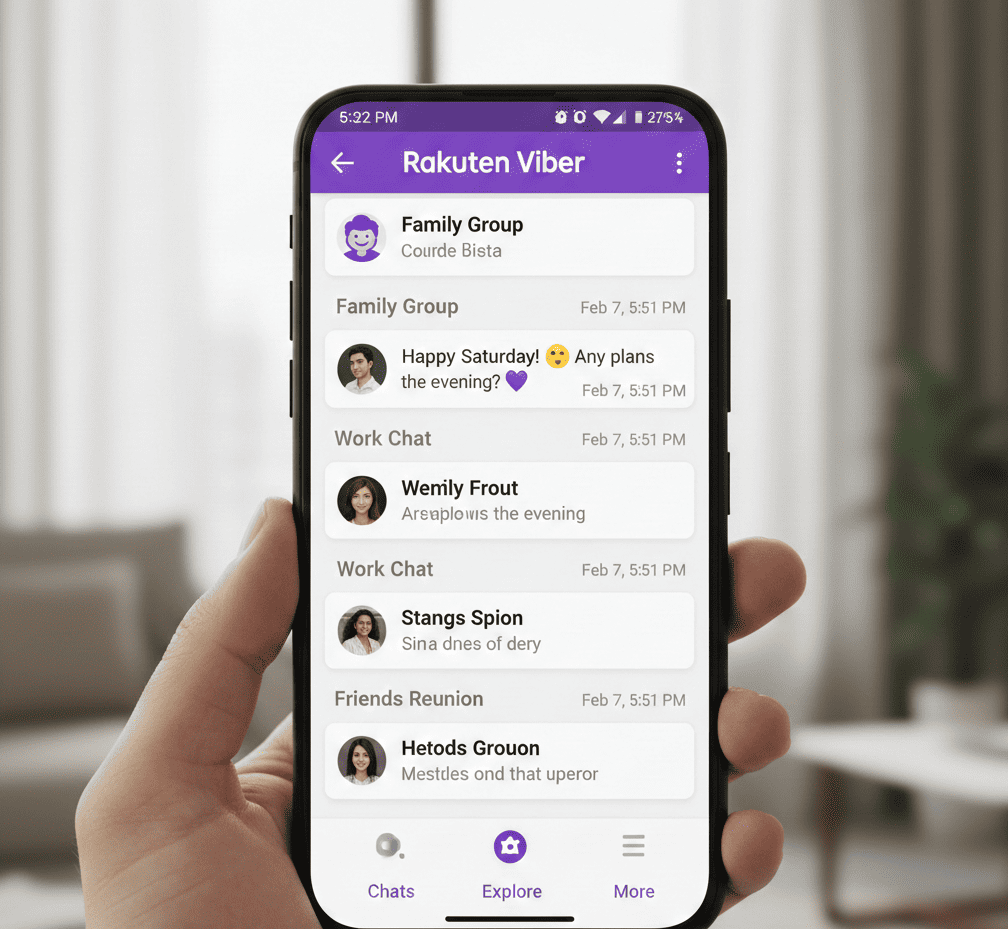
Rakuten Viber Messenger – Secure video Calls and Chats

Rakuten Viber Messenger has grown from a basic calling tool into a massive global platform used by over a billion people. It is now considered a “super-app” because it combines many different functions into one easy-to-use place. You can send instant text messages, make high-quality video calls to friends in other countries, or even run large groups for your local community. The app is completely free and focuses on making digital communication feel natural and simple. It has successfully moved beyond its original purpose to offer a much wider range of digital services for its users.

Rakuten Viber Messenger

In 2026, Rakuten Viber Messenger updated its system with new artificial intelligence features to help users stay organized and save time. These “smart” updates make it easier to manage your daily conversations and find information quickly. Security remains a top priority, ensuring that your private chats and calls stay protected from outside eyes. When compared to other messaging apps, Viber stands out because it balances advanced technology with high-level privacy. It continues to be a reliable and secure choice for anyone looking to stay connected with people all across the globe.

What is Rakuten Viber?

Rakuten Viber Messenger is a popular communication app owned by a large Japanese company called Rakuten. It works on many different devices, including smartphones and computers. The main purpose of the app is to let people stay in touch easily using an internet connection. Instead of using a traditional cellular network for calls or texts, the app sends all your data over the web. This makes it a flexible tool for anyone who wants to communicate globally.

By using the Rakuten Viber Messenger app, you can send text messages, high-quality photos, and short videos to your friends and family for free. You can also make voice or video calls and share audio clips without paying for standard long-distance charges. As long as you have a stable Wi-Fi or data plan, you can connect with other users anywhere in the world. It is a simple, cost-effective way to manage your personal and professional conversations in one place.

Key Features of Rakuten Viber Messenger

Rakuten Viber Messenger isn’t just about text; it’s an ecosystem of expression. Here are the core features that define the user experience:

  • AI-Powered Group Chat Summaries: A standout 2026 feature. If you miss 100 messages in a busy group, Viber’s AI (powered by OpenAI technology) can provide a concise bulleted summary of the main points, action items, and decisions.
  • High-Quality Voice and Video Calls: Enjoy free Viber-to-Viber calls anywhere in the world. You can host group video calls with up to 60 participants, making it ideal for both family reunions and professional catch-ups.
  • Viber Plus Exclusives: For power users, the premium subscription allows you to hide your “is typing” status and provides voice-to-text transcription for those moments when you can’t listen to a voice message.
  • Disappearing Messages: Add a layer of privacy by setting a self-destruct timer (from 10 seconds to 24 hours) for any message in 1-on-1 or group chats.
  • Viber Out: For a small fee, call landlines or mobile numbers that don’t have Rakuten Viber Messenger installed. This remains one of the most affordable ways to make international calls.
  • Communities and Channels: Unlike standard groups, Communities can have unlimited members, while Channels allow creators to broadcast content to a global audience.
  • Creative Tools: With over 55,000 stickers, custom GIFs, and AR Lenses, you can express yourself in ways that words often can’t capture.

LIVE WEBCAM

How Rakuten Viber Messenger Protects Your Data

Security is the backbone of Rakuten Viber Messenger. In an era of increasing data breaches, Viber remains one of the most secure mainstream messengers.

1. End-to-End Encryption (E2EE)

  • By default, all 1-on-1 calls, personal chats, and group chats are end-to-end encrypted. This means the “keys” to unlock your messages stay on your device—not even Rakuten Viber can read them.

2. Encryption-in-Transit for Public Spaces

  • While Channels and Communities use encryption-in-transit (to allow new members to see history), your private data is never sold to third parties.

3. Hidden Chats

  • If you have sensitive conversations, you can hide them from your main chat list and protect them with a PIN. They won’t appear unless you search for the specific code.

4. Trusted Contacts

  • You can “authenticate” your contacts. If their security status changes (perhaps due to a man-in-the-middle attack), the padlock icon will change color, alerting you instantly.

Pro Security Tip: Always enable Two-Step Verification in Settings > Account. This requires a PIN whenever you register your phone number on a new device, preventing unauthorized account takeovers.

Pros and Cons of Rakuten Viber Messenger

Every app has its strengths and trade-offs. Here is an honest look at the Viber experience:

Feature Pros Cons
Privacy Top-tier encryption; messages aren’t stored on servers after delivery. Encryption is not active for group video calls or Channels.
Usability Excellent desktop-to-mobile syncing and call handoff. The UI can feel “cluttered” due to ads and business messages.
Features AI summaries and massive sticker library. High battery consumption during long video calls.
Connectivity Great at handling low-bandwidth (2G/3G) connections. File sharing has size limits compared to apps like Telegram.

How to Get Started with Rakuten Viber: Step-by-Step

Setting up Viber is a breeze. Follow these steps to join the billion-strong community:

  • Download & Install: Find “Rakuten Viber Messenger” on the Google Play Store or Apple App Store.
  • Verification: Open the app and enter your mobile number. You will receive a 6-digit code via SMS or an automated call to verify your identity.
  • Profile Setup: Add your name and a profile photo. You can also link your email to help recover your account later.
  • Sync Contacts: Allow the app access to your contacts to see who else is already using Viber.
  • Desktop Setup (Optional): Download the Viber Desktop app on Windows or Mac. Scan the QR code using the scanner within the mobile app (More > QR Icon) to sync all your chats instantly.

Comparison: Viber vs. WhatsApp vs. Telegram

Feature Rakuten Viber WhatsApp Telegram
Default Encryption Yes (1-on-1 & Groups) Yes (All) No (Only Secret Chats)
Max Group Size 250 (Groups), Unlimited (Communities) 1,024 200,000
AI Features Chat Summaries (2026) Basic AI Assistance Extensive Bot API
International Calling Viber Out (Paid) No (App-to-App only) No (App-to-App only)
Desktop App Fully Independent Sync Linked to Phone Cloud-Based

Unique Insight: While WhatsApp is the market leader in volume, Viber wins on international versatility. The “Viber Out” feature makes it a superior choice for expats or travelers who need to call actual phone numbers in foreign countries without using expensive roaming.

Practical Tips for Rakuten Viber Messenger

My Notes: Use the “My Notes” chat to save links, set reminders, and store photos. It’s a private space that syncs across all your devices.

  • Edit Sent Messages: Made a typo? Long-press a sent message and select “Edit” to fix it—no need to delete and resend.
  • Save Data: If you are on a limited data plan, go to Settings > Media and disable “Auto-download media over cellular networks.”
  • Polls and Quizzes: In group chats, use the Poll icon to quickly settle where to go for dinner or create fun quizzes for the family.

Conclusion

Rakuten Viber Messenger remains a top pick for people who want both privacy and fun. It offers secure messaging alongside interactive tools that make chatting enjoyable. Whether you are sending a quick note or a long video, the app ensures your personal data stays protected while you stay social.

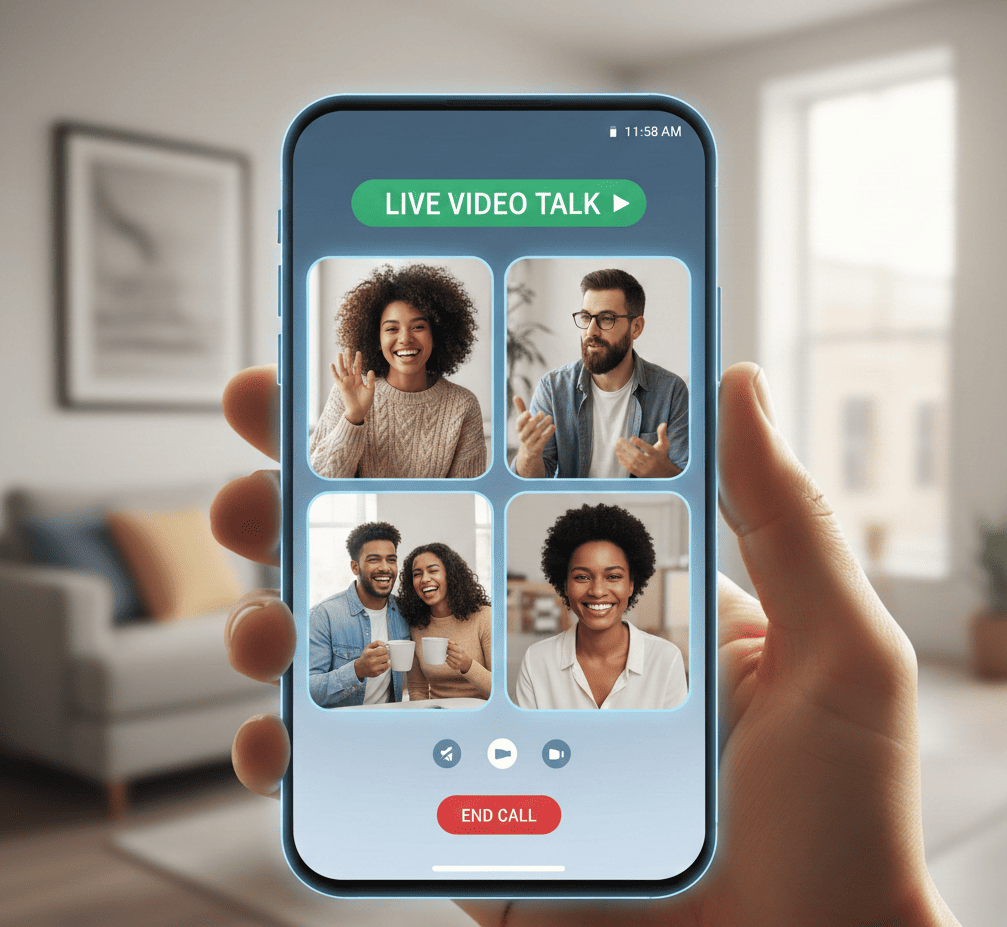
Live Video Talk – High Quality Random Video Call

In today’s world, being far away from someone doesn’t have to stop you from staying close. Live Video Talk app have changed from being fancy extras to tools we use every single day. They are perfect for many situations, like chatting with a best friend who lives in another country or attending an important meeting for work. These apps make it easy to see and hear people instantly, no matter where they are on the map. It is a modern way to keep our relationships strong and stay productive from anywhere.

Live Video Talk

While texting and phone calls are helpful, they often lack the personal touch that comes from seeing someone’s face. Live Video Talk fills that gap by providing a sense of “being there” that other methods just can’t provide. It allows you to see expressions and body language, making conversations feel much more real and meaningful. Whether you are using it to catch up with family or to meet new people from around the globe, video technology helps us build deeper human connections in a digital world.

What is Live Video Talk?

Live Video Talk is a powerful tool that lets you see and hear people instantly using your internet connection. While standard texting only uses words, this app captures important details like your facial expressions and the sound of your voice. This creates a “face-to-face” feeling that makes digital conversations feel much more personal and natural. It is built to be fast and reliable, ensuring your video calls stay smooth and clear during every conversation.

The app is designed to be incredibly easy for everyone to use, regardless of their technical skills. You can connect with friends, family, or colleagues living on the other side of the world with just one simple tap on your screen. By removing the distance between people, it helps everyone stay close, no matter how far apart they actually are. It is the perfect solution for anyone wanting a high-quality way to talk and share moments together.

Key Features of Live Video Talk

The best video chat applications aren’t just about the video feed; they are about the ecosystem of tools that make the conversation fluid.

  • HD Video & Crystal Clear Audio: High-definition streaming ensures that you don’t miss a single expression, provided your bandwidth supports it.
  • Instant Room Creation: Users can generate private video call rooms in seconds and share a link to invite participants.
  • Intuitive Toggle Controls: Easily manage your privacy by turning your camera or microphone on and off during a session.
  • Cross-Platform Compatibility: Whether you are on a smartphone, tablet, or desktop, the experience remains seamless.
  • Group Chat Functionality: Beyond one-on-one calls, the app supports multi-user rooms for family reunions or team scrums.
  • In-Call Text Messaging: Send links, notes, or emojis without interrupting the visual flow of the conversation.

LIVE WEBCAM

How to Get Started: Live Video Talk

Setting up your first Live Video Talk session is designed to be frictionless. Follow these steps to get online:

  1. Download and Install: Visit your device’s app store (iOS or Android) and search for “Live Video Talk.”
  2. Create an Account: Sign up using your email or social media login. Ensure you choose a strong, unique password.
  3. Grant Permissions: For the app to function, you must allow access to your camera and microphone.
  4. Find Friends: Sync your contacts or search for users via their unique ID or username.
  5. Start the Call: Tap the “Video” icon next to a contact’s name, or click “Create Room” to host a group session.
  6. Adjust Settings: Before the person answers, check your lighting and background in the “Preview” window.

Security Tips for Safe Video Chatting

While the digital world offers connection, it also requires caution. Protecting your privacy is paramount when using live streaming apps.

  • Use Private Rooms: Never share your room link on public social media platforms. Use direct messaging to invite guests.
  • Update Regularly: Software updates often include critical security patches. Always run the latest version of the app.
  • Beware of Strangers: If the app includes a “random match” feature, avoid sharing personal details like your home address, financial info, or full legal name.
  • Background Awareness: Be mindful of what is visible behind you. Documents, family photos, or mail can reveal more than you intend.
  • End Sessions Properly: Always ensure the call is fully disconnected before moving away from your device.

Pros and Cons of Live Video Talk

Pros Cons
Enhanced Connection: Mimics in-person interaction through visual cues. Data Intensive: High-quality video consumes significant mobile data.
Global Reach: Connect with anyone, anywhere, instantly. Latency Issues: Poor internet can lead to “lag” or dropped calls.
Cost-Effective: Most basic features are free over Wi-Fi. Privacy Risks: Potential for unauthorized recording by other users.
Increased Productivity: Ideal for remote work and screen sharing. Digital Fatigue: “Zoom fatigue” is real after hours of video calls.

Unique Insights – The Future of Live Video Talk

Live video chat is becoming more immersive than ever. New technology lets users project 3D models into their calls using professional AR, which is a game-changer for designers. Plus, smart AI now automatically removes background noise, like loud traffic or barking dogs, ensuring that your voice stays perfectly clear.

To improve your video quality, place your camera at eye level instead of looking down at your screen. This creates a much more flattering angle for your face. You don’t need fancy equipment, either; simply facing a window for natural light usually looks better than using expensive studio lights.

Live Video Talk vs. Traditional Messaging

Why switch from a standard text app to a Live Video Talk platform?

  • Emotional Depth: Text is notorious for being misread. Video chat adds the context of a smile or a shrug, reducing misunderstandings.
  • Speed of Information: Explaining a complex task? It takes 30 seconds on video versus 10 minutes of typing.
  • The “Social Presence” Factor: Video calls release more oxytocin than text-based chats, helping users feel more “present” with their loved ones.

Why Live Video Talk is the Best Choice for You

In today’s busy world, saving time is essential. Live Video Talk makes connecting with others effortless by using a simple design that anyone can master. It removes technical headaches, allowing you to focus on what really matters. This app is perfect for anyone who values quick, meaningful, and reliable communication.

Whether you are attending a medical appointment, a professional interview, or a celebration with friends, this app works perfectly every time. Its high quality and easy-to-use features make it the best choice for your daily needs. You can trust Live Video Talk to keep you connected whenever it counts most.

Practical Tips for a Better Experience

  • Lighting is Everything: Position yourself so the light source (like a window or lamp) is in front of you, not behind you. This prevents you from looking like a dark silhouette.
  • Eye Contact: To simulate eye contact, look at the camera lens, not at your own face on the screen.
  • Audio Quality: If you are in a noisy environment, use a pair of earbuds with a built-in mic. This focuses the audio on your voice and eliminates echo.

Conclusion

Live Video Talk is a great way to meet and connect with people from around the globe. To get the best experience, you should learn how the app works and follow basic rules of politeness. This helps turn your phone screen into a powerful tool for making real human friendships.

Your safety is the most important part of using the platform. By staying careful with your personal data and prioritizing security, you can explore new cultures without worry. Using these simple tips ensures that every video call is a positive, meaningful, and safe way to see the rest of the world.

Zeep Live – Live Video Chat and Real Connections

Zeep Live is a popular app designed to help people make new friends from all over the world. Since digital communication is such a huge part of our lives today, this platform provides a space where you can connect with others regardless of where they live. Whether you want to have a fun chat, learn about a different culture, or just find someone to talk to when you are bored, the app offers a live setting for real-time interaction. It is a vibrant community built for those who want to expand their social circle easily.

Zeep Live

In 2026, the app continues to offer modern features that make meeting people through video chat simple and engaging. This guide covers everything you need to know about using the platform effectively, including how to navigate its main tools. Most importantly, it highlights essential security tips to ensure your experience remains safe and private. By following these suggestions, you can enjoy seamless conversations and build genuine global friendships without worrying about your online safety.

What is Zeep Live?

Zeep Live is a fun and easy-to-use app that helps you meet people from all over the world. Instead of just sending text messages, this platform focuses on high-quality video and voice calls. This face-to-face approach makes it much simpler to build real connections and find new friends, no matter where they live. It is designed for anyone who wants a more personal way to socialize online beyond standard social media posts.

The main idea behind the app is that there is always someone ready to talk to you. Zeep Live removes the distance between people, creating a safe space to chat at any time of day. Whether you are looking to learn about a different culture or just want someone to hang out with, the app makes it possible to connect instantly. It offers a convenient way to expand your social circle right from your phone.

LIVE WEBCAM

Key Features of Zeep Live

What makes Zeep Live stand out in the crowded market of social apps? Here are the highlight features that define the user experience:

1. One-Click Quick Login

  • Time is of the essence. Zeep Live allows you to skip lengthy registration forms with its Quick Login feature. With a single click—often via Google or other social accounts—you can jump straight into the action and start meeting people immediately.

2. High-Definition (HD) Video Quality

  • Communication is better when it’s crystal clear. The app supports HD video streaming, ensuring that your face-to-face interactions are smooth, lag-free, and visually engaging.

3. Real-Time AI Profile Verification

  • To combat the issue of fake profiles, Zeep Live has integrated AI Profile Verification. This recent update ensures that the person you see on the screen is a real user, significantly enhancing the authenticity of the community.

4. Instant Text Messaging & Media Sharing

  • Not in the mood for a video call? No problem. Zeep Live offers a robust text chat system. You can send quick messages, share photos, and even send voice notes to stay in touch with your new friends.

5. Interactive “Party” Rooms and Games

  • Beyond one-on-one calls, Zeep Live features Dynamic Groups and “Party” rooms. Users can join multi-guest rooms to hang out or participate in in-app mini-games like “Car Race” to break the ice and earn rewards.

How to Get Started: Step-by-Step Guide

Setting up Zeep Live is straightforward. Follow these steps to begin your journey:

  • Download the App: Search for “Zeep Live – Video Chat & Party” on the Google Play Store or download the APK from a verified source like Uptodown.
  • Installation: Install the app on your Android device (requires Android 6.0 or higher).
  • Sign Up/Login: Use the “Quick Login” option. You can link your Google account for the fastest entry.
  • Set Up Your Profile: Upload a clear profile picture and add your interests. This helps the algorithm match you with like-minded individuals.
  • Start Browsing: Swipe through profiles or enter a live room. Once you find someone interesting, tap the “Video Call” or “Message” icon to initiate contact.

Zeep Live Security Tips: Staying Safe Online

To stay safe on Zeep Live, treat your personal information like a secret. Never share your full name, home address, or phone number with strangers you meet on the app. It is also wise to keep your social media profiles private to prevent people from finding you elsewhere. If someone makes you feel uncomfortable or asks for money, use the block and report tools immediately. Your safety is more important than being polite to a stranger.

Be mindful of what is visible in your background during video calls. Avoid showing school uniforms, street signs, or family photos that could reveal your location. Since these chats happen in real-time with people you don’t know, always stay alert and trust your instincts. If a conversation feels wrong, end the call right away. By staying cautious and keeping your private life off-camera, you can enjoy the app while minimizing the risks of random video chatting.

While Zeep Live prioritizes user safety, the nature of random video chat requires users to be vigilant. Follow these essential safety tips:

  • Protect Personal Data: Never share your home address, bank details, or private phone number during a call.
  • Use the “Report” Button: If you encounter a user engaging in sexual, explicit, or rude behavior, report them immediately. Zeep Live has a strict policy and will ban such accounts quickly.
  • Beware of Scams: Be cautious of users who ask for money or “gold coins” for external favors.
  • Stay Within the App: Keep your conversations on the platform. Moving to third-party apps like WhatsApp or Telegram too early can increase your risk of encountering bad actors.
  • Check Verification Badges: Prioritize interacting with users who have a verified profile badge.

Pros and Cons of Zeep Live

Pros Cons
Instant Connectivity: Connect with people in seconds. In-App Purchases: Premium features and calls require “Gold Coins.”
Global Reach: Meet people from different cultures and countries. Data Usage: HD video calls can consume significant mobile data.
User-Friendly: Simple, intuitive interface suitable for all ages. Occasional Spammers: Despite AI checks, some fake accounts may exist.
Versatile: Offers both video, voice, and text options. Battery Drain: Real-time video processing can be heavy on older devices.

Why Zeep Live is Trending in 2026

Zeep Live is trending in 2026 because it works perfectly even on slower internet connections. Thanks to new technology, users can enjoy smooth video calls without annoying lag or freezing. The app also offers a “Lite” version designed specifically for people with limited data or older phones. This ensures that everyone around the world can join the platform and share their lives, making the community feel much more inclusive and accessible to everyone, regardless of their location.

Another major reason for its success is the new AI translation feature. This tool instantly translates text messages during chats, allowing people from different countries to talk easily without knowing each other’s languages. For example, someone in Brazil can have a seamless conversation with a friend in India. By removing these language barriers, Zeep Live makes it simpler than ever to build international friendships and connect with people from diverse cultures across the entire globe.

Comparison: Zeep Live vs. Other Video Chat Apps

Feature Zeep Live Chamet OmeTV
Focus Video Party & Chat Live Streaming Random Video Chat
Verification AI Profile Check Manual/AI Minimal
Gamification High (Car Race, etc.) Medium Low
Ease of Use High (Quick Login) Medium High

Zeep Live distinguishes itself by blending social gaming with video calls, making it a more “fun-first” platform compared to the purely functional nature of apps like OmeTV.

Conclusion

Zeep Live is much more than a basic video chat app; it serves as a digital doorway to the entire world. The platform offers a safe and high-quality space where users can interact with others through crystal-clear video. Because of this focus on security and performance, meeting new friends from different countries has become incredibly simple. With just a single tap on your screen, you can start a conversation and explore different cultures without ever leaving your home.

If you are eager to expand your social circle and meet people globally, this app is the perfect place to start. It removes the stress of long-distance communication by making every interaction feel natural and immediate. There is no reason to hesitate when looking for new connections or diverse perspectives. Simply open the app, feel free to reach out, and begin building meaningful friendships across the globe today.